Using Yocket's Admit Predictor tool takes less than a minute to generate university recommendations based on your academic profile, test scores, work experience, course, and preferred study destination.
Here is a step-by-step guide to using the Yocket Admit Predictor tool:
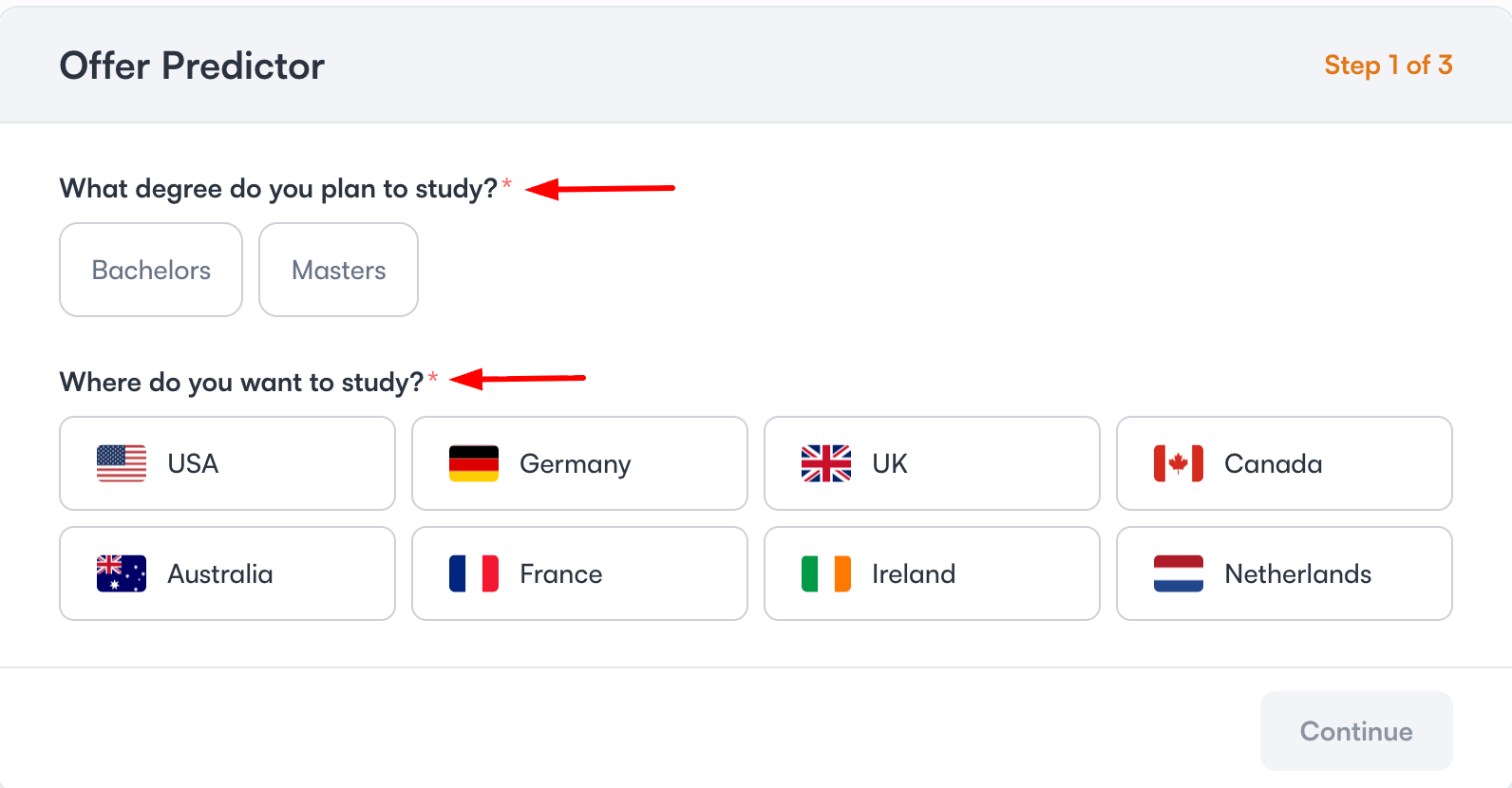
Step 1: Select Your Degree and Destination
Click on https://yocket.com/offer-predictor to open the Yocket Admit Predictor tool and select the degree you plan to pursue, Bachelor's or Master's. Then choose the country or countries where you want to study.
![]()
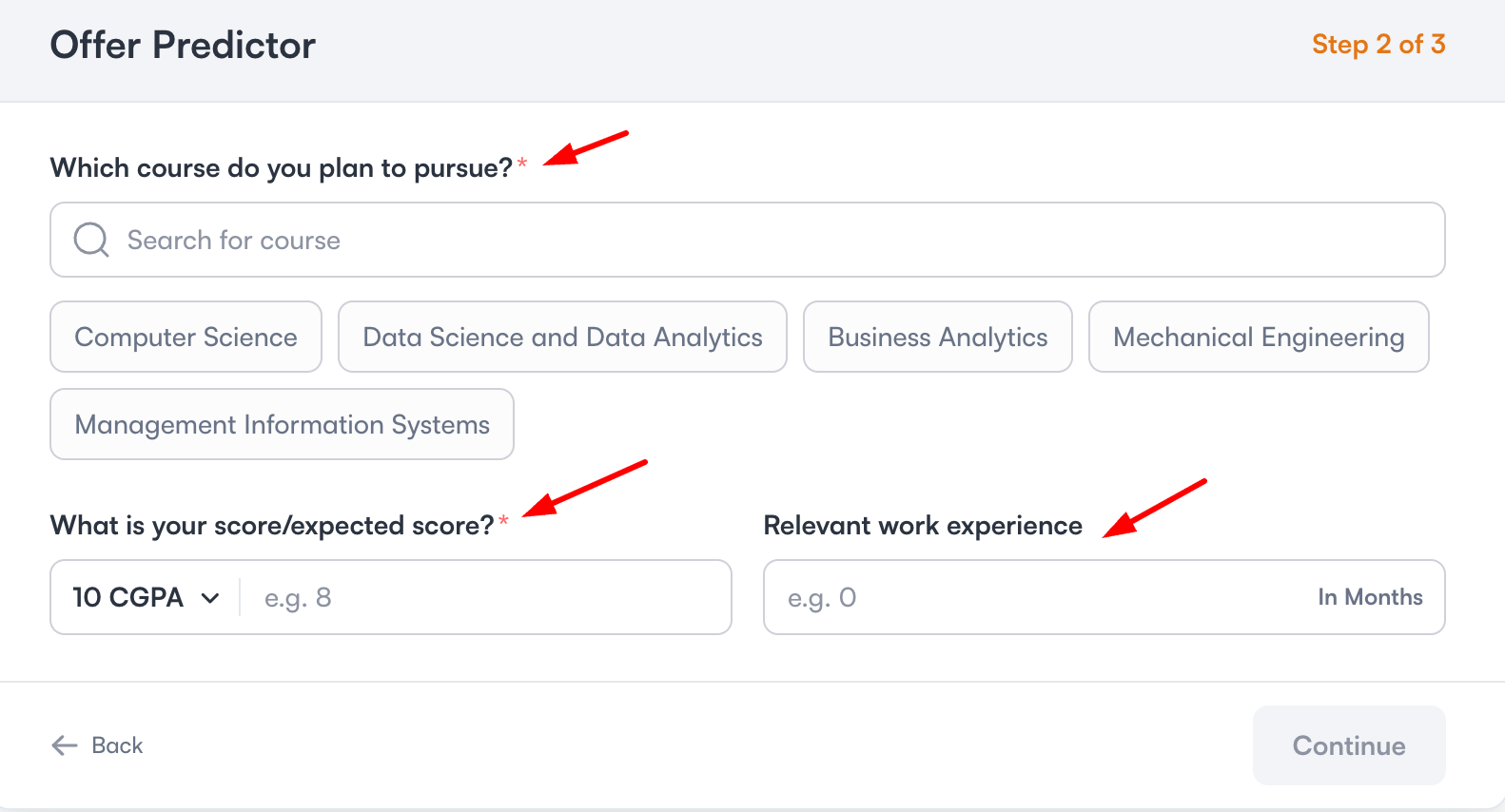
Step 2: Enter Your Course, CGPA, and Work Experience
Select your intended course and enter your current or expected CGPA. Add your work experience in months, if applicable.
![]()
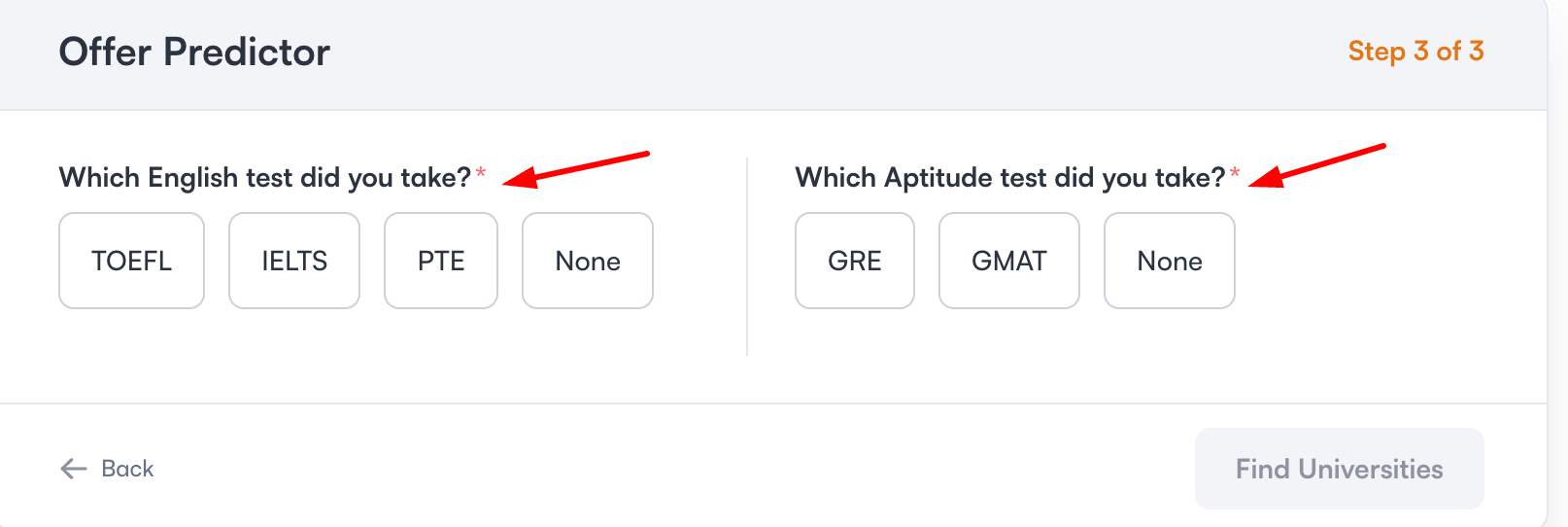
Step 3: Add Your English Proficiency & Aptitude Test Scores
Select the English proficiency test you have taken, such as IELTS, TOEFL, or PTE, and enter your score. Then select your aptitude test, GRE or GMAT, and enter your score. Choose None if you have not taken a test.
![]()
Step 4: Find Universities
Review the details you entered and click Find Universities.
The tool takes a few seconds to match your profile, then shows your results under two tabs. "Your Matches" lists universities that fit your current profile, each with the CGPA range, annual fees, and course duration for matched offers. A "just a few tweaks away" section below it lists reach universities and states exactly what score or CGPA improvement would put them in range.
You can also switch to the "Explore Other Countries" tab to see the same profile matched against universities in destinations you did not originally select.